
L2TP + IPsec VPN on Mikrotik router (IOS 10 support)
PPTP is not supported anymore by Apple. In order to connect to your vpn with iPhone or iPad you have to use different protocol.
This is how to do it on Mikrotik router.
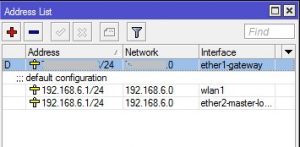
1. IP > Addresses
Assign IP addresses for each interface, public on ether1-gateway and private on ether2.
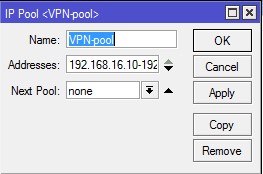
2. IP > Pool
Set range of IP addresses for your remote devices.
192.168.16.10-192.168.16.20 for example.
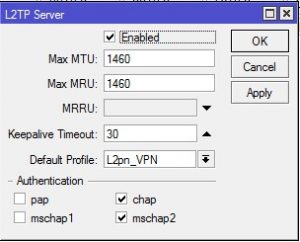
3. PPP > Interface – Enable L2TP Server
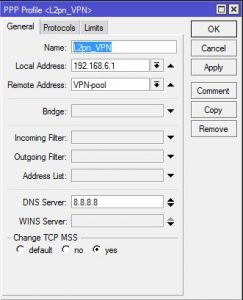
4. PPP > Profiles (make one)
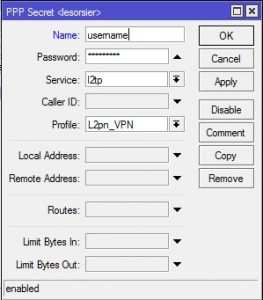
5. PPP > Secrets (set user name and password)
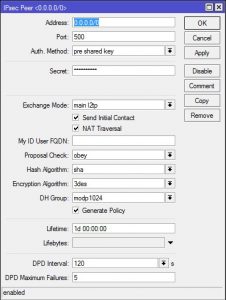
6. IP > IPsec > Peers
(make new peer, set secret)
7. IP > IPsec > Proposals
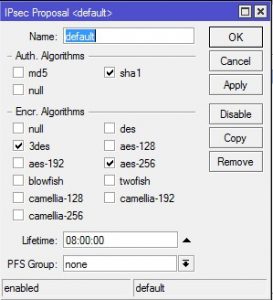
That’s should be all.
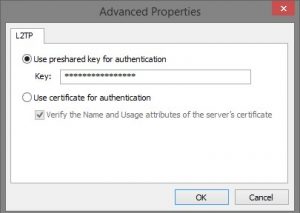
Make sure you select MS-CHAP v2 on connecting.
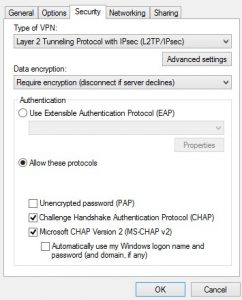
And put your IPsec secret here.
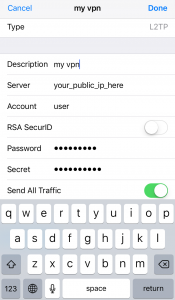
On IOS 10
0 Commentaires