
Finding the Team Identifier and Bundle Identifier
-
Get a clean install of macOS 10.13 and install all the kernel extensions you need.
-
When prompted, click OK.
-
Navigate to System Preferences > Security & Privacy and click Allow.
-
Once all of your kernel extensions load, open Terminal and execute the following command:
sudo sqlite3 /var/db/SystemPolicyConfiguration/KextPolicy
-
Execute the following command command:
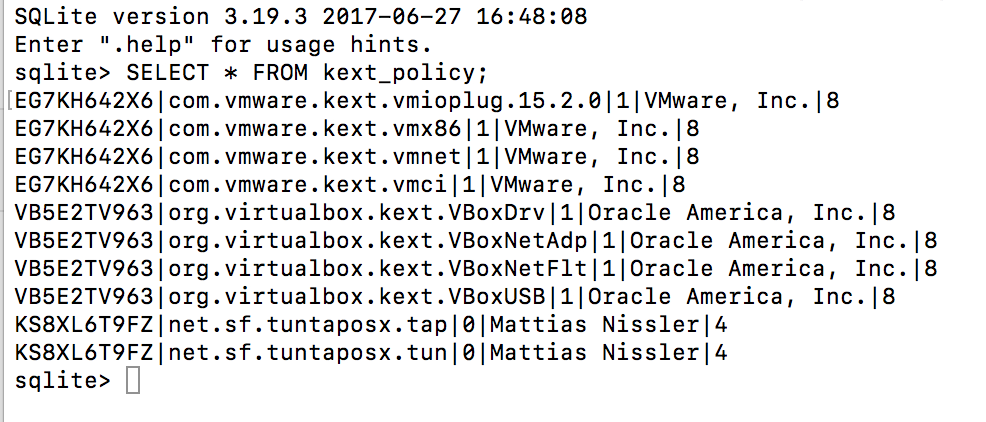
SELECT * FROM kext_policy;
You will see the Team ID and the bundle ID for each individual extension, and the display name of the developer. Note the Team ID is the first item listed. You will need all the IDs for the extensions you wish to whitelist.
0 Commentaires